
0
Skip to Content
About
Booking
Contact Me
Home
Live Classes
✨Patreon✨
Self Paced
Draw Along With Me
Draw Along With Me
Login Account
About
Booking
Contact Me
Home
Live Classes
✨Patreon✨
Self Paced
Draw Along With Me
Draw Along With Me
Login Account
About
Booking
Contact Me
Home
Live Classes
✨Patreon✨
Self Paced
Login Account
  • Procreate Digital Art: App Features,
• 10/18/21

Learn to CREATE YOUR OWN COLORING BOOK PAGES in the Procreate app for iPad | Digital Art

Draw Along With Me to create your own digital coloring book pages in the Procreate drawing/painting app for iPad. In this tutorial we will use a number of basic Procreate tools, including Layer Reference, Drag-and-Drop Coloring, Symmetry, Copy & Paste, and more!
Previous

Learn to CREATE YOUR OWN PATTERN BRUSHES | SEAMLESS PATTERN Tutorial | Procreate app for iPad

Next

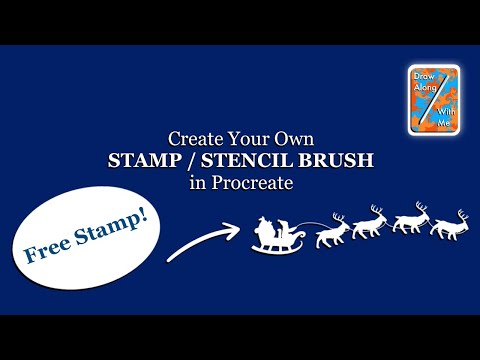
Learn to CREATE YOUR OWN CUSTOM STAMP STENCIL BRUSH in the Procreate app for iPad | Digital Art

You Might Also Like

Related Embedded Video Item Thumbnail Learn to Draw a Cute Mouse Fridge Magnet | Quick & Easy Procreate Digital Art Tutorial
Related Embedded Video Item Thumbnail Learn to Draw: ISOMETRIC TREEHOUSE ART STUDIO in the Procreate app on iPad | Digital Art | Design
Related Embedded Video Item Thumbnail Learn to Draw a Halloween Pumpkin / Jack-O-Lantern on the Procreate App for iPad | Digital Art
Related Embedded Video Item Thumbnail FUN WITH PHOTOS! Learn to Create Funny Photo Art | Procreate | Make Your Own GIFs, Memes, & Stickers
Related Embedded Video Item Thumbnail Learn to Draw a Painterly Cruise Ship at Sea in the Procreate App for iPad | Quick & Easy Tutorial!

Info

About
Booking
Contact
Free Tutorials
Legal
Live Classes
Self Paced Classes

Socials

Instagram
Facebook
Patreon
TikTok
X [Formerly Twitter]
YouTube

© Draw Along With Me 2025. All rights reserved. All materials are original and created by Rachel M., owner and creator of Draw Along With Me.

Draw Along With Me

Happy Arting!

✨ Tip Jar ✨